7:42 AM / Saved inspiration
The desk project gets a Friday reminder before it disappears.
Bloop keeps the useful text in a Bloop Note, prepares a focused Google search, and lets you set the reminder while the idea is fresh.
 Bloop
Bloop
Screenshot actions for iPhone & iPad
You screenshot it because it matters. Bloop finds the bill, date, reply, note, or link inside—and gives it a next step before it disappears into your camera roll.
30 days free. Screenshot images stay on your device.
01 / The real screenshot problem
Your camera roll is full of unfinished thoughts.
A Reel shows a desk project you want to try. You save it between meetings, then forget the idea. The same thing happens to interview times, bills, restaurants, and messages you meant to answer.
Bloop closes that gap. It turns “save for later” into a small queue of things you can actually finish.
02 / From clue to action
Bloop reads the useful part, understands the intent, and prepares the next move for you to review.
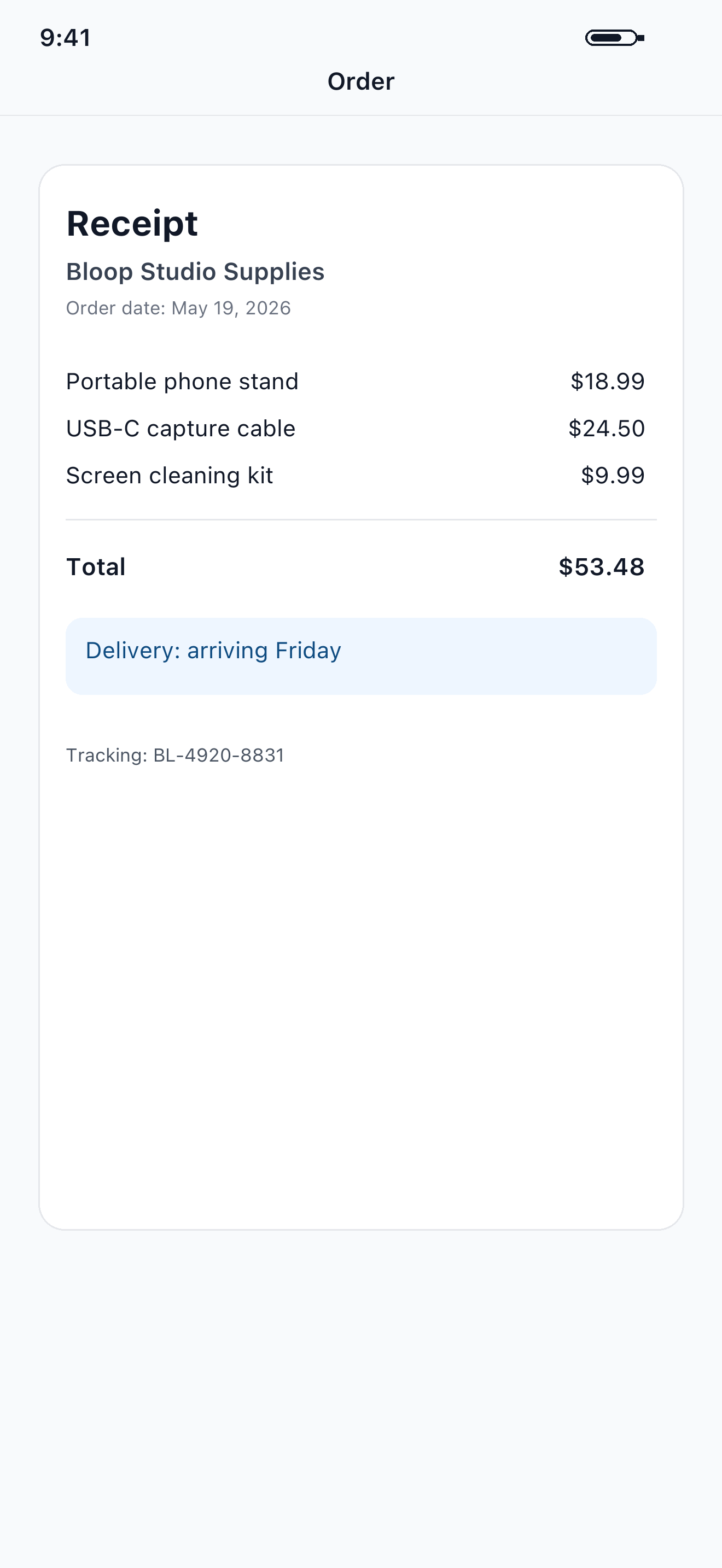
The screenshot

The next step
Bloop keeps the project in a focused note, prepares a Google search, and gives the idea a reminder instead of leaving it in Photos.
03 / A real day in Bloop
7:42 AM / Saved inspiration
Bloop keeps the useful text in a Bloop Note, prepares a focused Google search, and lets you set the reminder while the idea is fresh.
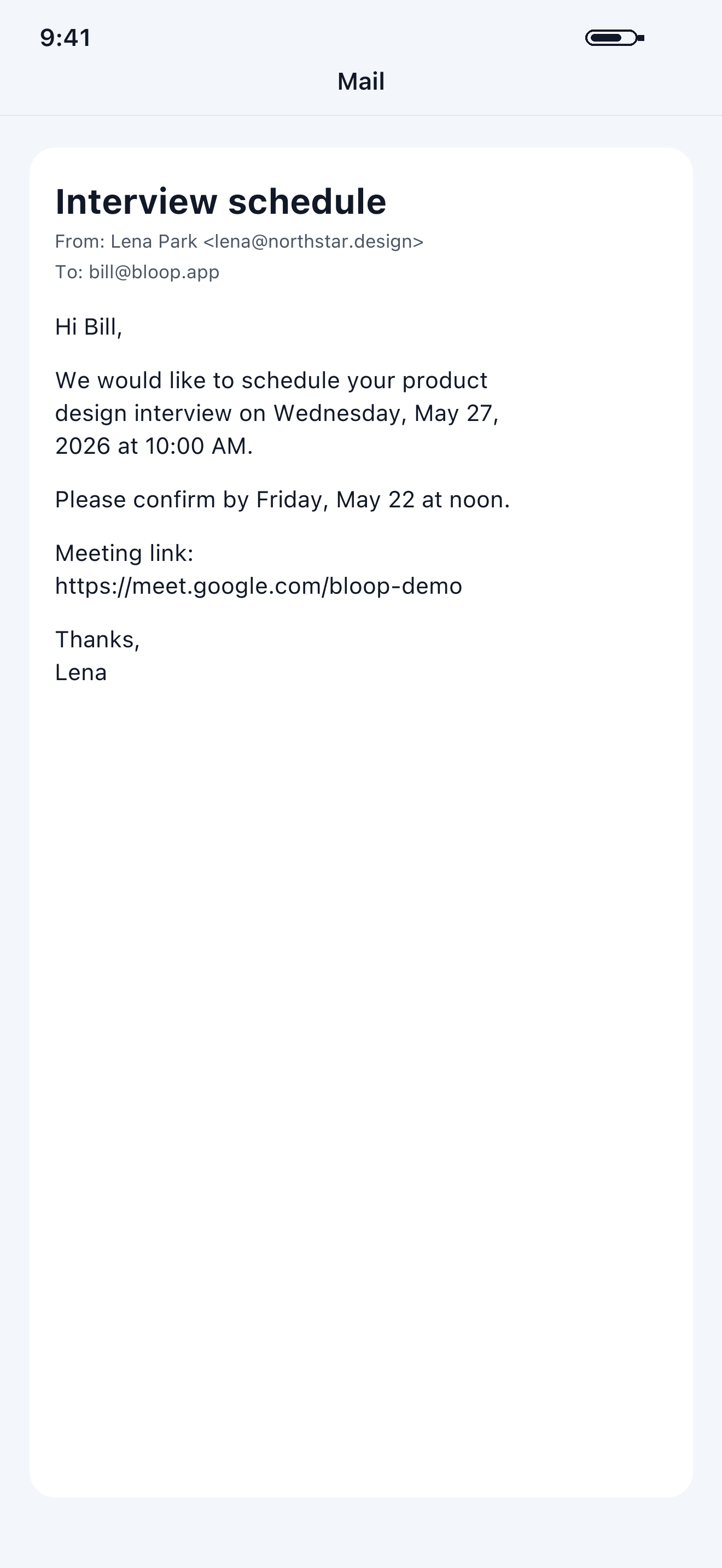
2:45 PM / Interview details
Review the extracted date and time, then add the event without retyping the whole message.
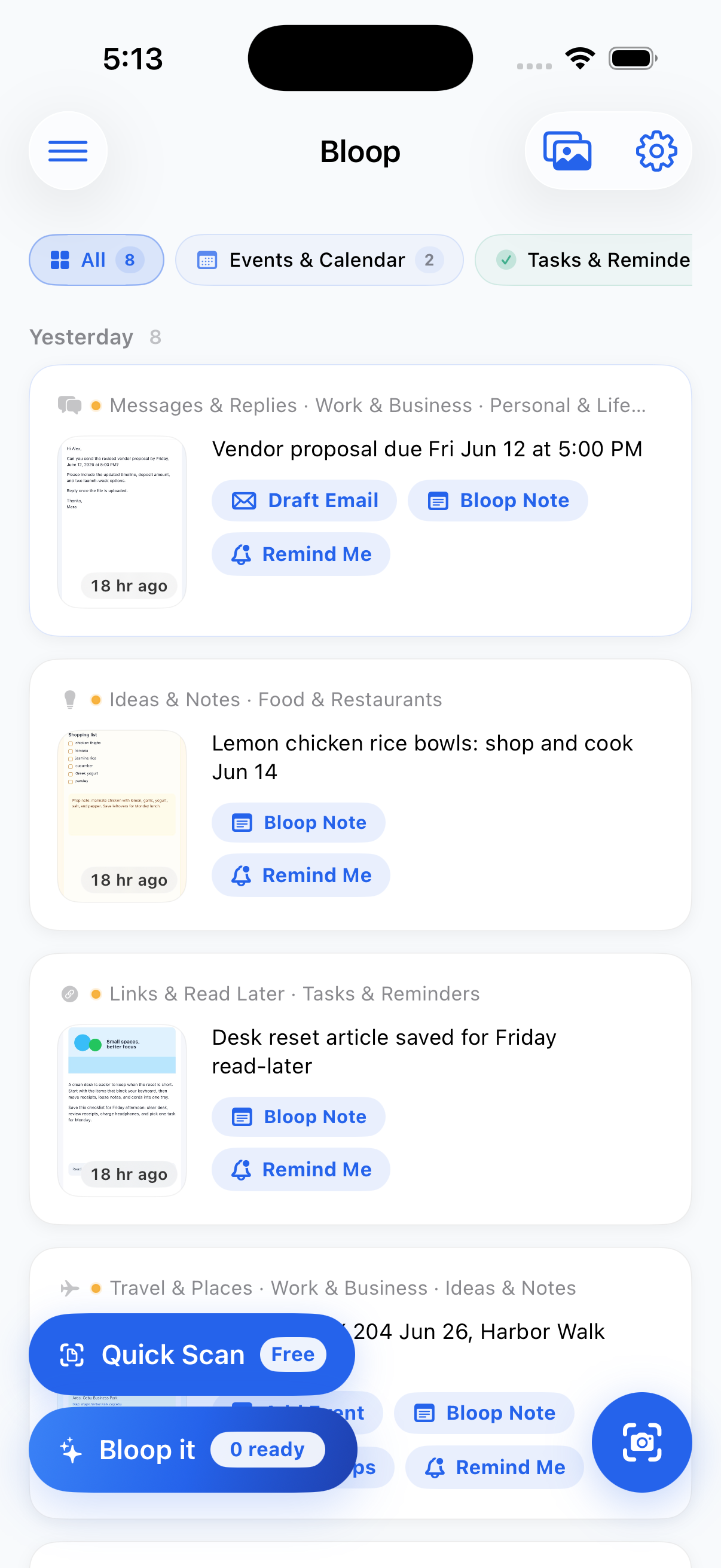
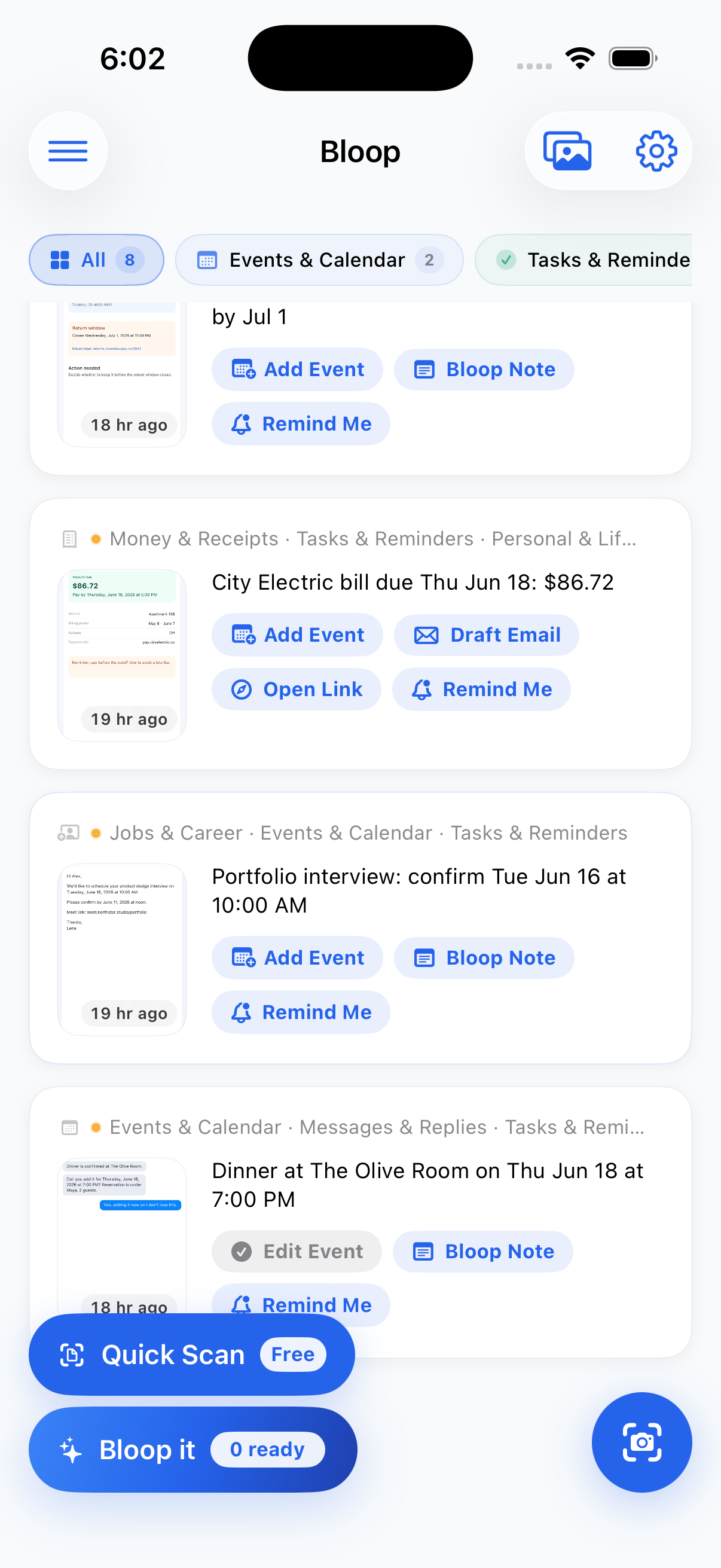
6:02 PM / Tomorrow’s queue
The real Bloop dashboard keeps every next move visible when the day is already full.
04 / Bloop Note
Bloop Note pulls the useful text out of a screenshot. Search the subject, copy it, share it, or set a reminder without rebuilding the context by hand.
Use a focused phrase built from the useful text.
Carry the exact product, model, or visible details into shopping results.
Move the extracted detail into the app or conversation where you need it.
Choose when the saved idea should return to your attention.
05 / Private by design
The image and extracted text stay on your device. Bloop reads, organizes, and suggests actions locally.
Everything stays local. Screenshot images and extracted text are processed on your device.
OCR runs on device. Reading, copying, and basic sorting work without uploading the screenshot.
You review every action. Check or edit a date, reminder, or reply before it becomes real.
06 / Good to know
Clear answers about what the app sees, sends, and does.
No. Screenshot images and extracted text stay on your device. Bloop processes them locally.
No. Bloop uses on-device text recognition and deterministic rules for built-in categories, summaries, and suggested actions.
Bloop can suggest calendar events, reminders, draft emails, copied text, notes, links, contacts, and lists based on the content you saved.
Bloop includes 30 days of free use, followed by a monthly or yearly App Store subscription. Active access works offline; purchase and restore need an App Store connection.
The screenshot action inbox
Download Bloop free for iPhone and iPad.
Download free on theApp Store